Guide ·
How to make an X circle in three steps
To make an X circle, open the free X Circle Generator, type your X username and wait about 15 seconds while your browser reads your public posts; then pick a design and download it. There's no login and nothing to install.
It works for any public account, big or small. Protected accounts can't be read, because only public posts are used.
Free tool · no login X Circle Generator The people you talk with most, in a circle. Type your X username to start. Open X Circle Generator →Step 1: where do you type your username?
Go to X Circle Generator and type your handle, with or without the @. You don't connect your X account and there's no password: Orbit Cards only needs the name, because it reads what anyone can see on your public profile.
Step 2: what happens while it reads?
Your browser asks FxTwitter, a public service that shows X posts, for your profile, your last 30 days of posts (up to 160, in four weekly windows), up to 80 posts that mention you, about 70 followers, and a small sample of older months for the other cards. That usually takes a few seconds; a heavy poster can take longer.
Then it scores everyone you talked with: a reply is 3 points, a quote or @mention 2, and a mention of you 2 for its author. The highest totals sit closest to you. It never signs in to X, never posts, follows or likes, and stores nothing on our servers: the read happens in your browser and is kept there for 6 hours.
Step 3: how do you pick and download a design?
The Studio opens on the circle designs with your people already in place. Pick one, choose a look, then download it as PNG, JPG or WebP (some designs also as MP4) in square, portrait or story size. Post it yourself and tag the people on it if you like.
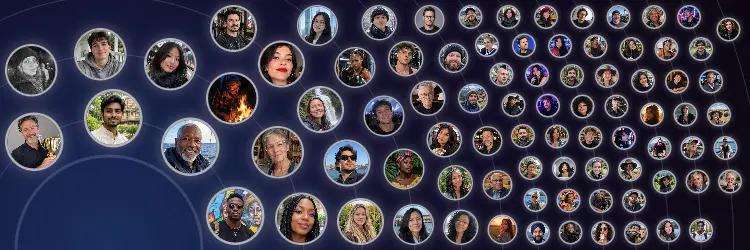
Want the same people in a bigger picture? Open a header such as Mosaic or Spectrum: they're sized 1500×500 for your X profile.


Why is someone missing from my circle?
Usually because you didn't reply to, quote or mention them in the last 30 days, or they mentioned you less than others did. Conversations in direct messages, likes and replies on protected accounts aren't visible to anyone outside X, so they can't count. If FxTwitter didn't return a part of the read (it sometimes times out), the Studio says what's missing; press Read again later for a fresh read.
Frequently asked questions
How long does it take to make an X circle?
About 15 seconds to read, then as long as you like in the Studio. The read is kept in your browser for 6 hours, so trying other designs or tools doesn't read X again.
Is the X Circle Generator free?
Yes. Orbit Cards is free, with no login, no ads and no paid plan. Every circle design and every other design is open.
Can I make a circle for someone else?
Yes, if their account is public: type their username. Orbit Cards reads only what anyone can already see on X, and it never posts or notifies anyone.
What sizes can I download?
Square, portrait and story sizes as PNG, JPG or WebP, and MP4 for designs that move. Headers made from the same people come at 1500×500.